 Your browser is out of date. For best experience switch to latest updated Browser.
 Get Chrome
 Get Edge
 Get Firefox
Ability Levels
Categories
Resource Types
Age/Grade Range
CCSS
Anchor Standard
Speaking & Listening
Language
Reading
Assistive Devices I Will Use - Advocacy in Action
$ 1
Worksheet in which students describe different assistive devices, use for the device, place to obtain, cost, etc. Students develop a reference for themselves for post-high school communication situati
...
ons.
Hearing Tech - Personal Hearing Technologies
$ 2
Describes several different types of hearing devices including hearing aids, bone conduction amplification, cochlear implants, and personal DM/FM systems. Gives information on 'bling' for hearing devi
...
ces.

Setting up FM System Doesn't Meet IDEA Documentation Rules
$ 0
Information about a court case regarding school district record keeping requirments to comply with provision of FM/DM/HAT in an IEP.
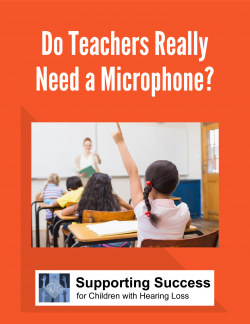
Do Teachers Really Need a Microphone?
$ 150
Teachers who have not had experience with students who are hard of hearing are usually unused to wearing a microphone transmitter and often ask, "Do I really Need a Microphone?" This brief information
...
al article describes how hearing technologies are essential tools for learning.
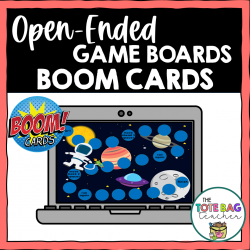
Open-Ended Game Boards for Boom Learning
$ 3
oard games are a great way to work on IEP goals with my students, but as an itinerant teacher, I needed something that would work for a wide variety of students and be flexible enough to use with any
...
skill.These open-ended game boards for Boom Cards are perfect for play-based therapy and work well for any skill set your students are working on. This Boom Cards deck features 9 different themed game boards so you can mix things up and keep your students engaged the whole year long! These digital game boards would be great on a laptop, desktop, Chromebook, tablet, or any other mobile device that can access the internet. They can even be used on your SmartBoard. Plus, they’re no prep which means no printing, laminating, or storage.How to use:1. Select a game board.2. Select a different game piece for each player. Each board includes 6 moveable game pieces.3. Use either a die or spinner (not included) and move that number of spaces. Follow arrows or text directions on the game board to keep things interesting.4. Between turns, practice whatever skill you're working on with your student. It could be sight words, auditory processing skills, speech sounds, math facts, etc.What's included:A pdf with a link to access these Boom Cards on the Boom Learning website.Themes: under the sea, spring, dinosaurs, summer, jungle, fall, hot air balloons, space, and winterPlease note a digital spinner is not included in this product.More about BOOM Learning…To use Boom Cards, you must be connected to the Internet. Boom Cards play on modern browsers (Chrome, Safari, Firefox, and Edge). Apps are available for Android, iPads, iPhones, and Kindle Fires. For security and privacy, adults must have a Boom Learning account to use and assign Boom Cards. You will be able to assign the Boom Cards you are buying with "Fast Pins," (play provides instant feedback for self-grading Boom Cards). Fast Play is always a free way for students to engage with Boom Cards decks. For additional assignment options, you'll need a premium account. If you are new to Boom Learning, you will be offered a free trial of our premium account. Read here for details: http://bit.ly/BoomTrial.
Issue - Provision of Appropriate Assistive Technology Accommodations
$ 0
The information below on provision of assistive tECH-nology has been derived from sections of IDEA and Office of Special Education Program comments. The guidance provided helPS- clarify the intent of
...
IDEA and may be useful to professionals and parents alike who are trying to advocate appropriate services and supports for children with hearing loss.
Hearing Tech - Consistent Hearing Aid Use
$ 2
Explains the math of wearing hearing aids and how consistent use benefits the student, especially in school. Includes a fillable, daily monitoring documentation sheet for younger students.

Hearing Tech - What are FM/DM systems
$ 250
Describes FM/DM systems and why these devices are important for children with hearing loss. Includes a fillable FM/DM tracking form. See BUNDLE at S0XHT798.
Hearing Technology and You - Your Idea of the Perfect Hearing Device
$ 175
Worksheet poses questions for individual or grouPS- of hard of hearing students to discuss regarding their idea of a perfect hearing device and how hearing loss is a part of who they are.

Attitude is Caught, Not Taught for Families
$ 0
This is a powerful handout Attitude is Caught, Not Taught which sheds light on how parent behavior helps shape child attitudes toward hearing aid use and hearing loss.

 Cookies